Avaya Business Phone Systems — Certified Avaya Partner
Advanced Communication Systems (ACS) is the nation's leading certified Avaya business partner — delivering Avaya phone systems to businesses of all sizes, from small professional offices to large multi-site enterprises and government agencies. With 25+ years of experience and 5,000+ clients served, ACS brings deep expertise in designing, deploying, and delivering Avaya communication solutions nationwide.
Whether you're shopping for a new Avaya system, replacing a legacy system, or looking to migrate from on-premise to the cloud, ACS is your single point of contact for the complete Avaya product portfolio — backed by Avaya-certified engineers and a consultative approach to finding the right fit for your business.

Avaya Solutions Available Through ACS
• Avaya IP Office installation and configuration
• Avaya Aura enterprise deployments
• Cloud and hybrid migration planning
• SIP trunking and VoIP setup
• Ongoing maintenance, upgrades, and technical support
• Contact center solution design
How Much Does an Avaya Phone System Cost?
Avaya IP Office pricing depends on the number of users, deployment model (on-premise, cloud, or hybrid), features required, and hardware. As your certified Avaya partner, ACS provides transparent, competitive pricing with no hidden fees or surprise charges.
We offer free, no-obligation consultations and custom quotes so you understand exactly what you're getting before you commit. Contact our team to discuss your requirements and receive a detailed proposal within 24 hours.
Avaya IP Office
Avaya IP Office is ACS’s most-deployed platform for small and mid-sized businesses. It handles auto attendant, voicemail to email, call recording, video conferencing, and CRM integration — on-premise, in the cloud, or hybrid. For a full breakdown of features, licensing, and pricing, visit our dedicated IP Office page.
Hosted Avaya Cloud
Prefer zero hardware on-site? ACS’s hosted cloud option puts your Avaya system in the cloud with updates, backups, and monitoring handled by our team. It’s ideal for businesses that want enterprise communication features without the infrastructure overhead.
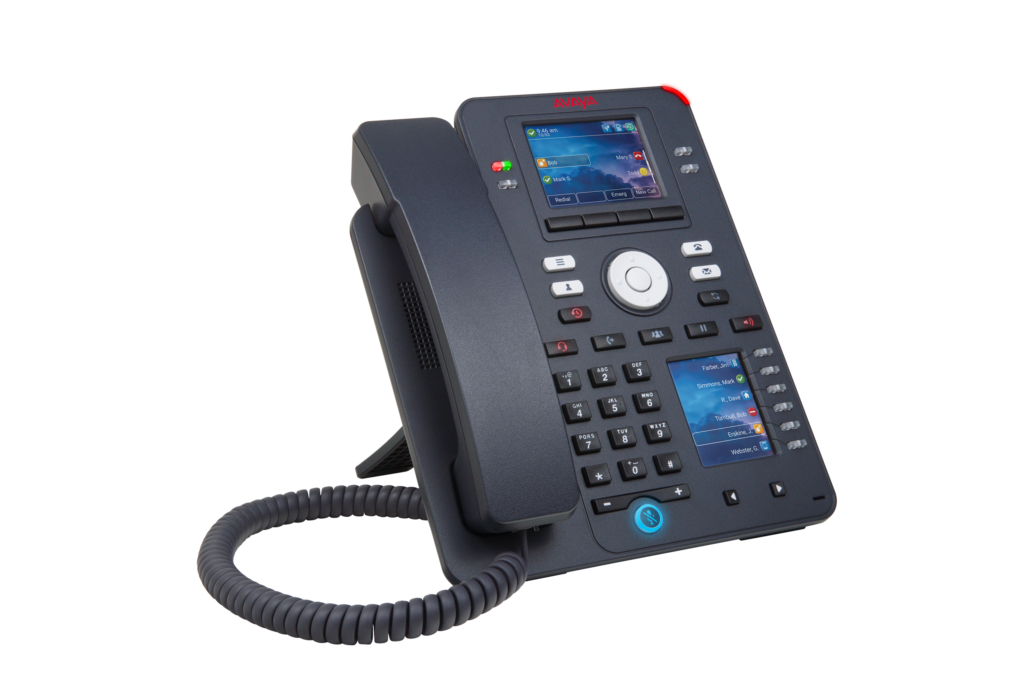
Avaya J-Series Desk Phones
Our J-Series deskphones deliver crystal-clear audio and connect natively to Avaya IP Office — keeping your team productive whether they’re at a desk or working remotely.
Why Partner With ACS?
Foster greater communication, collaboration and accountability with a reliable Avaya business phone — configured for your team's exact needs. As your Avaya provider, we're committed to helping you keep your team members connected in diverse environments. We offer:
Decades of industry experience
Our company has provided phone products and services since 1998, standing out among certified Avaya business partners for our depth of expertise and customer care.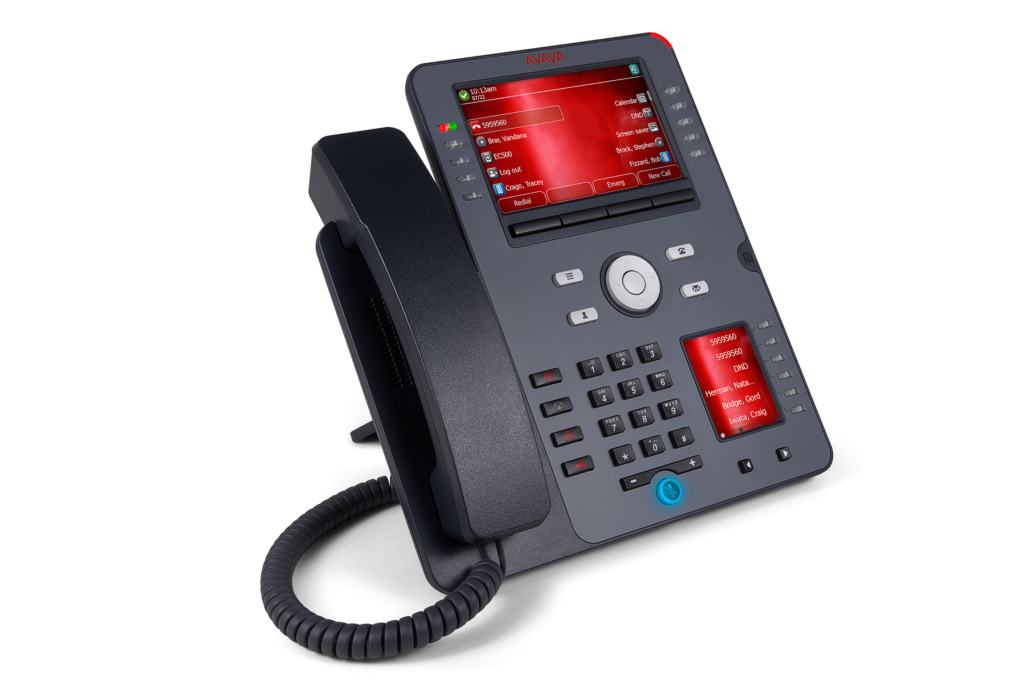
Local and Nationwide Delivery & Installation
We serve over 5,000 clients nationwide. ACS deploys and installs Avaya systems at locations across the U.S. — from single-site offices to multi-location enterprises. Our offices are strategically located in Virginia, Maryland and Washington.

Tools to Help You Choose
We can answer your questions about Avaya cloud solutions and hybrid phone systems. Request more details about our telecommunication offerings, and review our latest blog posts for actionable tips your team can implement.
Reputable work
Our tailored strategies and world-class services have earned us an A+ rating with the Better Business Bureau. Review our success stories to see what clients say about our end-to-end solutions.

Contact Center
Avaya solutions is a worldwide leader in the contact center market. The scalable contact center solutions help businesses manage calls and improve customer service, no matter the size of your organization.

Featured Client Success Stories
 "Having had exposure to ACS at other companies, I was delighted to see that the company commitment, passion and drive for excellence is still thriving." - American Cancer Society
 Fantastic installation by ACS! You made it easy for us to ensure that everything runs smoothly with our new Avaya system. Very professional, very helpful and always there when we need you. - Allstate Insurance
 It was terrific to work with an organization that was able to adapt to our needs so readily and effectively. Your installers were exceptional and showed a willingness to ensure that all users had a good understanding of the new phone system. - Harris Teeter
 We cannot thank you enough for the dedication and professionalism displayed by your entire team. The new phone system installation and training was a big success. All promises met and delivered. Thank you for all of your efforts. - Mitsubishi Industries
 The service your company provides is top quality – from initial request for info, to the proposal and execution. You understood our unique requirements and improvised when requested. Raytheon - Raytheon
Our Avaya Business Phone Systems
Whether you run a five-person startup or a multi-location enterprise, our Avaya telephone systems for small business are designed to grow with you — delivering enterprise-grade features at a price that makes sense.Keep your operations running smoothly with the right Avaya phone for your business — from compact desk sets to full-featured IP deskphones designed for high-volume teams. Our dedicated service professionals can offer guidance to help you determine if the Avaya J Series Intellectual Property (IP) Deskphones are right for your business. The deskphones deliver crystal-clear audio and feature innovative, user-friendly designs to increase your staff's productivity. Some features include:

Call forwarding

Call waiting

Hold music

Call recording

Routing for both inbound and outbound calls

Call screening

Reporting to enhance customer service and efficient call handling
Each deskphone connects to Avaya IP Office, a comprehensive platform that makes it easier to manage your company's voice and video calls, messaging and collaboration tools. The platform supports remote and mobile users, enabling flexible work environments. We provide strategic planning to connect your company's computers, smartphones and dedicated VoIP phones. Our experts can offer assistance to add users and expand the system as your business grows.
Seamless Avaya Phone System Installation
As an authorized business partner of Avaya, we coordinate smooth installation and training services. Our experts work closely with your business to understand your communication requirements and plan a rollout strategy that minimizes disruptions to your operations. We provide all the resources and tools your staff needs for a successful transition.
24/7 Avaya Support Solutions
Need support for an existing Avaya system? ACS provides 24/7 certified Avaya technical support — remote and on-site nationwide. → Visit our Support page
Looking for a Certified Avaya Partner Near You?
Advanced Communication Systems is one of the nation’s most experienced certified Avaya business partners, with national installation and support coverage. Whether you’re searching the Avaya partner locator or looking for a locally trusted reseller, ACS serves businesses across all 50 states — with offices in Virginia, Maryland, and the Metro DC area. Avaya-certified engineers, A+ BBB rating, 25+ years in business, 5,000+ clients served, authorized to sell and support the full Avaya product portfolio.
Contact ACS to confirm availability in your area.
FAQs
Yes. Avaya IP Office is designed to scale from 5 users all the way to 3,000+ users on a single platform. Many small and growing businesses choose it specifically because it delivers enterprise-grade features — auto attendant, call recording, CRM integration, mobile support — at a price point that makes sense for a small team.
On-premise IP Office installs Avaya hardware at your location for full system control and local call handling. Avaya Cloud delivers the same feature set from a hosted server — no on-site hardware, no capital expense, and a predictable monthly per-user cost. ACS will help you evaluate which model fits your budget, team size, IT resources, and compliance requirements.
Absolutely. ACS has extensive experience migrating businesses from legacy Avaya systems — including Partner, Merlin, and older IP Office versions — to the current Avaya IP Office platform. In many cases we preserve existing handsets to reduce hardware costs. We handle all configuration, data migration, and cutover to minimize downtime.
ACS offers managed services contracts with proactive monitoring, on-demand support, and 24/7 emergency technical assistance for all Avaya systems. Our team of nationally certified technicians can resolve most issues remotely and dispatch on-site when needed. We also provide training refreshers and system expansion services as your team grows.
For most growing businesses, a cloud-hosted VoIP or hybrid system offers the best balance of upfront cost and long-term flexibility. Cloud systems add users instantly with no new hardware; hybrid systems preserve existing infrastructure while layering in cloud capabilities. On-premise PBX systems offer the lowest per-call cost at scale but require capital investment and internal IT resources to manage. ACS evaluates your current setup and growth trajectory to recommend the model that delivers the most value over a 3- to 5-year window.
Traditional PBX systems require physical hardware expansion to add capacity — a process that takes time and budget. Cloud VoIP systems scale instantly: adding a user is a software change, not a hardware project. Hybrid systems fall in between, letting businesses grow cloud capacity while keeping on-site hardware for specific needs. For businesses expecting significant headcount growth or multiple locations, ACS recommends a cloud or hybrid architecture specifically to avoid the capacity constraints that come with traditional PBX.
Avaya systems are known for deep call center and contact center functionality, strong voice quality, and a purpose-built communications focus. Cisco systems are built around their broader IT networking ecosystem, making them a natural fit for organizations already running Cisco routers, switches, and wireless infrastructure. Avaya tends to be the better fit when communications performance is the priority; Cisco when tight integration with an existing Cisco network environment matters most. As a certified partner for both platforms, Advanced Communication Systems can deploy and support either — and will recommend based on your infrastructure, not vendor preference.
For most small and mid-size businesses, Avaya IP Office is the stronger choice. It is purpose-built for the SMB market, simpler to administer without a dedicated IT team, and carries a lower total cost of ownership than comparable Cisco Business Edition deployments. Cisco is competitive for SMBs already deeply invested in Cisco networking gear. ACS works with both platforms and can walk you through a side-by-side comparison using your specific user count, features, and budget.
Let's Start Your Digital Transformation
Searching for Avaya dealers near you? ACS serves businesses locally and nationwide, with certified technicians ready to install, support, and maintain your Avaya system wherever you're located. ACS offers Avaya telephone systems for small business through to large enterprise — on-site, cloud, virtual or hybrid solutions with advanced tools that optimize your staff's workflow.
Contact our Avaya business partner care center support to get started.